Windows Enabler

February 21st, 2009

This Utility is for enable some disable menu in Windows XP like “Format usb to be boot usb”

Sound a good one? for more info click here
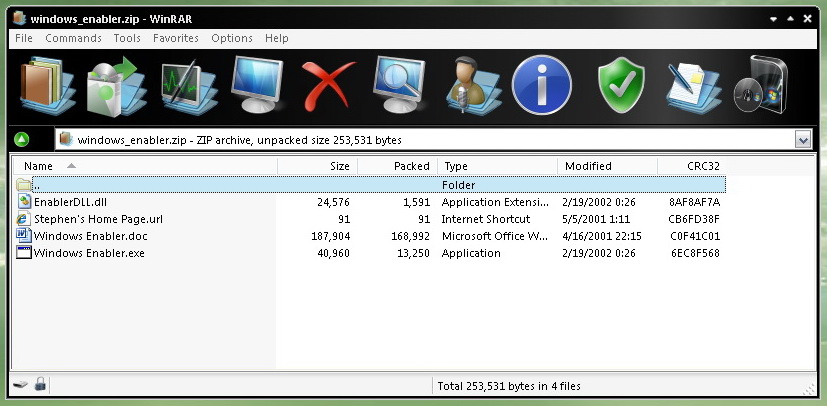
wenblr01 Windows Enabler

files in zip

wenblr02 Windows Enabler

After execute fileĀ  “Windows Enabler.exe”

On the tray

wenblr03 Windows Enabler

Double click to enable function

wenblr04 Windows Enabler

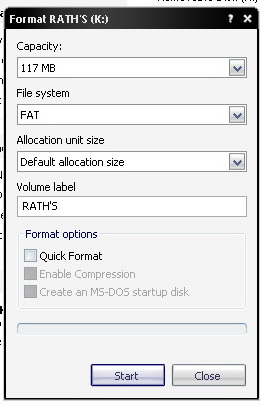
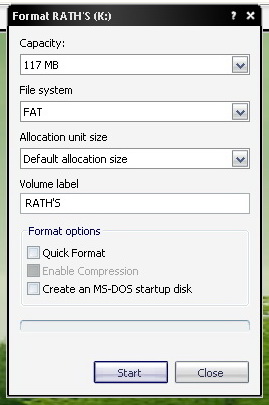
Normally Format USB drive. Notice the “Create an MS-DOS startup disk” now disable.
wenblr05 Windows Enabler

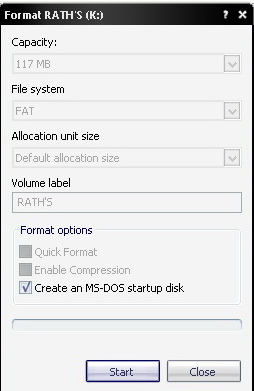
Now enable

wenblr06 Windows Enabler

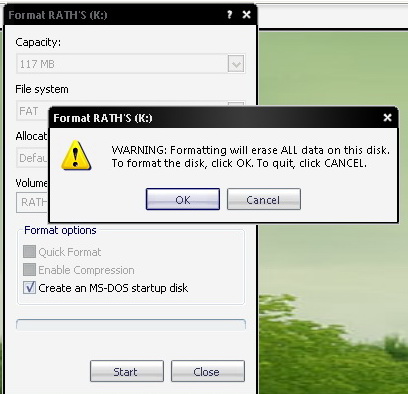
Run the Command

wenblr07 Windows Enabler

wenblr08 Windows Enabler

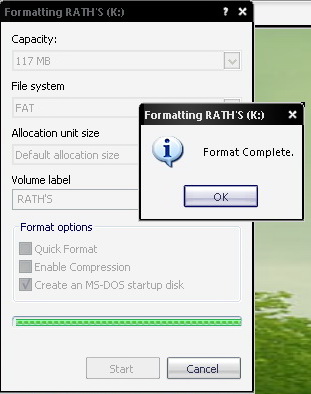
Finished format

wenblr09 Windows Enabler

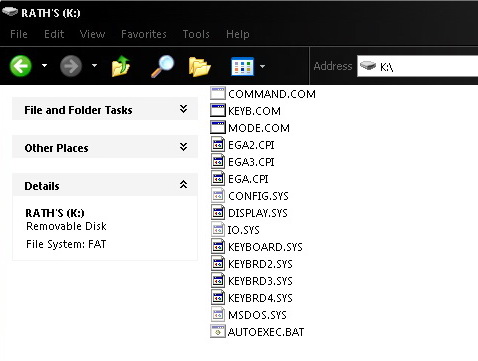
The result

Share on Facebook Post to Twitter

Related posts:

  1. regedit
  2. speed up windows vista
  3. Wscipt removing for protecting your system from VBS virus
  4. disable autorun
  5. Spell number function for Excel


2 Responses to “Windows Enabler”

  1. Robert Robert says:

    Hey i want to do this with my flash drive how do i do it??

  2. Rath Wjj rathwjj says:

    that’s the same for memstick, sd, xd and usb flash drive.

Leave a Reply